October 7 was a changelog cluster, not one feature. Local sandboxing for GitHub Copilot went generally available. CLI 1.0.94-0 learned how to list models on a running Ollama. A purpose-built model for leaked secrets started moving into alerts, with a separate bill for the opt-in checks. If you only remember “Copilot got a sandbox,” you will miss the flag that does not turn on when you pick a local model, and you will miss a credit meter that can tick even when a push is not blocked.
This is not the September commit-volume note. It is not the token-length change. It is not the September Actions knobs. Those were server-side or token-side. This week the new boundary is on the machine where the agent runs commands, plus a detection model whose expensive path is opt-in. Your job is to see which of those three you actually have turned on.
Copilot’s sandbox is GA in three clients
GitHub’s changelog says local sandboxing is generally available in GitHub Copilot CLI, the GitHub Copilot app, and VS Code sessions that use Agent Host. That list is the support matrix. A Copilot chat in some other surface is not automatically inside it because the blog post exists. If your team lives in a JetBrains build, the same day’s related-post titles mention JetBrains controls, and this particular post does not say the local sandbox GA includes them. Do not widen the matrix by adjacency.
What the sandbox does, in their words: tools and commands that Copilot initiates run with restricted access to the filesystem, network, credentials, and other system capabilities. The restriction follows policies the developer or the organization defines. It is an execution boundary on the machine, not a promise that the model never saw your file. Model execution and tool isolation are separate, and the post says so in one sentence. Sandbox policies apply to tool execution no matter which model Copilot is using. Picking a local model does not replace the sandbox. Picking a cloud model does not skip it either, if the policy says tools are sandboxed.
The mechanism they name is Microsoft eXecution Container, MXC. It translates one sandbox policy into native operating-system controls on Windows, macOS, and Linux. You do not get three policy languages. You do get three OS implementations, which means a deny that works on your laptop can still be the thing to re-test on the Linux build agent if that agent is also running Copilot tools. The changelog does not walk through a distro matrix. “Linux” is the word they used. If you need Ubuntu 24.04 versus a container host, that detail is not in this post.
Included with GitHub Copilot, no additional charge, is the pricing line. There is nothing to buy before you can read the sandbox docs they point at, “About cloud and local sandboxes for GitHub Copilot.” Charge and availability are different from “on by default in every repo.” The post describes what you can require. It does not say every individual seat woke up on October 7 with the strictest policy already enforced. Enterprise-managed settings can require sandboxing and can enforce policies developers cannot weaken. That sentence is the admin job. If you have not set the require-sandbox control, GA means the feature exists, not that your org turned the requirement on.
What the policy can actually fence
The capability list is short enough to turn into a checklist.
Limit the files and directories agent-run commands can read or modify. If the allowlist is the whole home directory, you have a sandbox that will not stop an agent from rewriting a dotfile you forgot was there. Write the list you mean. The changelog does not ship you a recommended path list. It ships the control.
Control access to the internet, local networks, Git credentials, and GitHub CLI credentials. Those are four doors. An agent that cannot reach the public internet can still be useful against a repo already on disk. An agent that cannot read Git credentials cannot push as you, which is usually what you want until a workflow truly needs a push. Split those decisions. A single “sandbox on” toggle in someone’s head is not the policy object GitHub described.
Apply sandboxing to local tools and services, including local MCP servers and language servers where supported. “Where supported” is the hedge. A language server you use every day may sit outside the fence. Test the one you have, instead of assuming MCP in the abstract is covered because the noun appeared in the post.
The point of the list, in the post’s framing, is to adopt more autonomous agent workflows while keeping a boundary around what Copilot can access. Autonomy without the file list and the credential doors is just a faster way to run unsandboxed commands. If your runbook still says “approve every tool call by hand,” the sandbox is a second layer, not a reason to stop reading the approvals. If your runbook has started auto-approving, the sandbox is the layer you actually have left.
Local model discovery is not offline mode
The same day’s CLI post is easier to misread than the sandbox post, because “local model” sounds like “nothing leaves the machine.”
Starting in CLI version 1.0.94-0, /model can discover supported models from a running local Ollama instance, next to models you already configured and cloud models GitHub provides. Check the version before you file a bug. An older CLI that does not show Ollama is not evidence the feature was pulled.
Discovery does not add the model. You pick a discovered model, review its provider and endpoint, then confirm either “Add and use for this session” or “Add without switching.” The model can be used in the current session without restarting the CLI. That confirm step is the whole security story of this feature. An endpoint you did not read is an endpoint you did not choose. Read it.
Ollama and the model must already be installed. This flow does not install a runtime and does not download weights. Models must support tool calling and streaming. If your local model cannot do tools, it will not become a Copilot tool-user because you clicked Add. Provider connection failures show up in the picker with an explanation. That is the first place to look, not a GitHub status page.
In the Copilot app the parallel path is Settings, then Model providers. The CLI post says the app already had the provider idea, and the CLI is catching up on discovery. Configuring a provider in the app is not the same click as /model in 1.0.94-0. Document which client you tested.
Then the sentence that should be in the runbook in bold, except we do not need bold for it to be true: choosing a local model does not turn on offline mode, and it does not disable GitHub telemetry. Offline mode in the CLI is an explicit choice, COPILOT_OFFLINE=true. And even in offline mode, a remote provider can still receive prompts and code context over the network. The post tells you to follow the CLI provider and offline-mode docs for the limits. I am not going to soften that. Local weights plus a cloud provider in the same session is a split path. If your compliance note says “we moved Copilot to Ollama, so source code stays on the laptop,” it is wrong unless you have also confirmed no remote provider is configured and you understand what offline mode does and does not block.
Intelligent routing with local models is announced in the same post, with a pointer to the Microsoft Command Line blog and the phrase “stay tuned for availability.” That is not GA. Do not write a Terraform flag for it this week. The GA items are sandboxing in the three clients, and Ollama discovery in CLI 1.0.94-0.
The sandbox post’s related-title list includes “Claude Haiku 5.5 in GitHub Copilot.” We did not open that changelog. A title in a sidebar is not a spec. If your org is waiting on a Haiku SKU inside Copilot, confirm it on that post or in the model picker, not from this paragraph.
The secret model is free on alerts and metered on the new checks
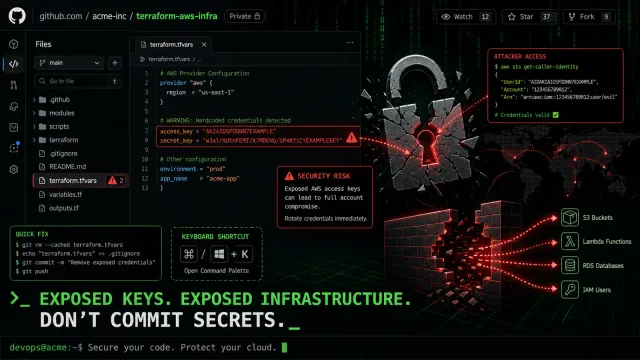
The third October 7 post is a detection model, not a sandbox. GitHub says a fine-tuned model reads surrounding code to identify likely credentials, including passwords that do not match a known pattern. Customers who already had AI-detected password alerts were upgraded to the new model automatically.
Split the bill before you enable anything.
AI-detected secret alerts stay included in GitHub Secret Protection and GitHub Advanced Security, at no additional charge. Starting October 7, existing AI-detected secret alert scans switch to the new model for those customers, still included, and still separate from the new credit-consuming checks. GitHub Enterprise Server 3.23 is slated to get those AI-detected alerts in public preview, included with an existing GHSP or GHAS purchase. That Server release does not include AI push protection, and it does not include the Copilot security-review command. If you operate GHES, the 3.23 line is an alert-model preview, not a copy of the cloud feature list.
The metered side is opt-in. AI-detected secrets in push protection is in private preview. AI-based secret scanning attached to the Copilot /security-review command, for the CLI and the app, is described as coming soon in private preview. GitHub says it is publishing the billing model ahead of broader availability so you can look at access and spend before you enable the checks. AI Credit usage for these opt-in checks “will be introduced in the coming weeks.” If you enable on the day you read a recap, re-read the live billing doc. “Coming weeks” from October 7 is not a date.
Push protection, as described, checks unstructured credentials at push time so you can remove a secret before it enters history. It needs GitHub Enterprise Cloud or GitHub Team, plus a purchase of GHSP or GHAS, and an administrator has to enable it. Public, private, and internal repositories can qualify on github.com under that coverage. The planned credits bill to the organization that owns the repository. A check can consume credits even if it does not block the push. That second sentence is the one finance will miss. A clean push is not a zero-cost push once the check is on.
The exception is user-namespace repositories for enterprise-managed users, where usage is attributed to the pusher and comes out of that user’s allocated credits. If your EMU developers push personal repos, the org invoice is the wrong place to look for those lines.
On ghe.com with data residency, Copilot Business and Enterprise are the plans called out for the security-review command. AI push protection there is planned with paid GHSP or GHAS, not described as already identical to github.com.
/security-review itself is a read-only review of active changes, with prioritized findings and remediation suggestions. You can run it before you commit, push, or request review. Existing Copilot policies and billing still apply to that review. The new secret-classifier checks are an addition. You do not need a GHSP or GHAS license to use those checks. They consume AI Credits on top of the review’s existing usage, billed to the account for your active Copilot plan. They ship off by default. Running /security-review does not enable them. Someone has to opt in where the plan and the policies allow.
Individual Copilot plans (Pro, Pro+, Max, Free, and Student) are eligible for the security-review checks with the new model, subject to access controls and credits, and they do not need GHSP or GHAS for that path. Copilot Business and Copilot Enterprise are eligible on supported platforms, subject to invitation and admin policy. Those subscriptions do not replace the GHSP license that AI push protection requires. Hosting plan, GHSP, and Copilot subscription are three purchases. The changelog says that in a table because people will try to collapse them.
Budgets do not stop spend by existing
Admins can disable the new capabilities by policy and set budgets for AI Credit usage. Opting in does not override those controls. Included credits and extra paid usage follow the account’s billing limits.
The path they give for a dedicated budget: Billing and licensing, Budgets and alerts, SKU-level budget, product Advanced Security, SKU Secret Protection AI Credits. An all-AI-Credits budget can cover more than one credit-consuming SKU if you would rather have one ceiling. Budget alerts alone do not stop usage. If you want a cap, configure “Stop usage when budget limit is reached” where that control exists. An alert channel that pages you after the invoice moved is not the control the sentence is describing.
If you are already on the private preview of AI push protection, continued use after the billing change takes effect will consume credits. Turn it off beforehand if you do not want that. Alert scanning, the included kind, stays included. Disabling the preview check is not the same action as disabling secret scanning.
Agents should not enable credit-consuming features or change budgets without an explicit authorization. That line is in the post because an agent with permission to edit org settings is now a billing principal. If your Copilot policy allows settings changes, this is the week to narrow it. The sandbox post and the secret post meet there. One fences tool execution on the laptop. The other fences who may turn on a metered check. Neither fence is applied by reading the changelog.
What to verify on one machine
Pick one developer laptop and one org, and write down six facts. None of them require you to trust a recap.
CLI version, and whether /model lists the Ollama you already started. If Ollama is not installed, do not treat a failure as a GitHub outage. The post says the flow will not install it.
The provider and endpoint shown before you confirm Add. If that endpoint is not the laptop, you do not have a local-only path, whatever the model name says.
The value of offline mode you intended, as an explicit setting, not as a side effect of model choice. Then re-read the warning that a remote provider can still receive prompts in offline mode, and check whether a remote provider is configured.
Whether org policy requires the local sandbox, or whether GA has been mistaken for enforcement. Look at the file and credential doors, not at a single boolean.
Which secret path is on: included alert scans, which should not gain a new charge from the model swap, versus push protection or /security-review classifier checks, which are the credit path and which can cost money on a push that was not blocked.
Whether a SKU budget exists for Secret Protection AI Credits, and whether it stops usage or only notifies. If you only have an alert, say so in the note. “We set a budget” is how teams describe a page that does not halt the meter.
That is the October 7 surface. Three posts, three switches, and a local model picker that does not mean what a quick reading thinks it means. Turn on the sandbox policy if autonomous tool calls are already happening. Leave the credit checks off until someone who pays the invoice has seen the “even if it does not block” line. And do not file the Ollama click as an offline migration until COPILOT_OFFLINE and the provider list say the same thing.